
Whether you are a beginner just starting your coding journey or a seasoned developer working on complex projects, knowing the essential programming tools is crucial. These tools not only make your workflow smoother but also help you write better code, collaborate efficiently, and manage projects professionally.
In this detailed guide, we’ll break down the categories of programming tools, explain why they’re important, and provide examples so you can build the perfect toolkit.
1. Code Editors and Integrated Development Environments (IDEs)
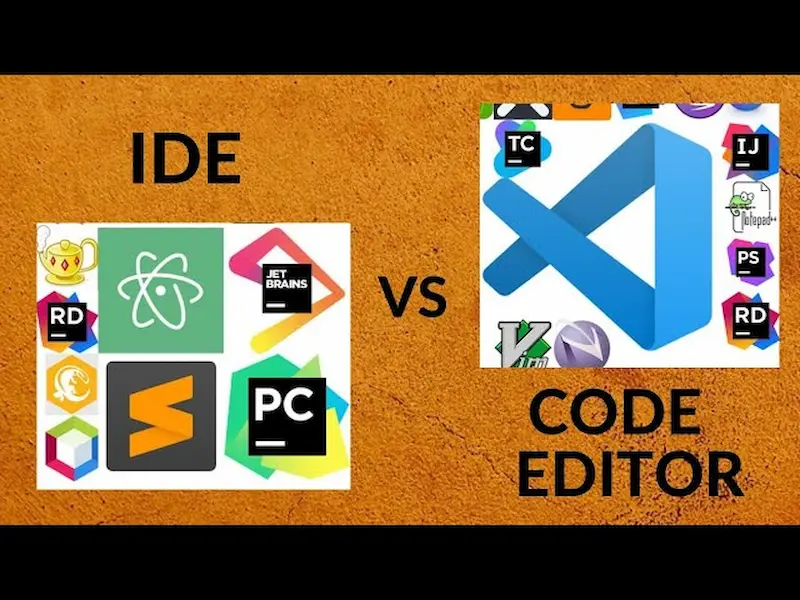
At the core of programming is writing code, and the right editor or IDE can make all the difference. A code editor or IDE is your workspace where you write, edit, and manage your code. The better the tool, the faster and more efficient you’ll be.
Why it’s essential:
- Syntax highlighting makes your code easier to read.
- Auto-completion saves time by predicting code snippets.
- Error detection helps you catch mistakes early.
Popular Tools:
- Visual Studio Code (VS Code) – Free, lightweight, and extremely versatile. Supports almost all programming languages, and its marketplace has thousands of extensions for debugging, linting, and formatting code.
- Sublime Text – Known for speed and simplicity. Perfect for small scripts or quick edits.
- IntelliJ IDEA – Ideal for Java and Kotlin developers. Features smart code completion, refactoring tools, and debugging support.
- PyCharm – Tailored for Python development, comes with integrated testing and project management features.
Pro Tip: Explore extensions or plugins for your editor. They can transform VS Code or Sublime into a full-featured IDE tailored to your programming language.
2. Version Control Systems
Version control systems are indispensable for managing changes in your code. Whether you’re working alone or in a team, these tools help you track progress, revert mistakes, and collaborate efficiently.
Why it’s essential:
- Track code changes and maintain history.
- Revert to previous versions if something breaks.
- Collaborate with multiple developers without overwriting work.
Popular Tools:
- Git – A distributed version control system that allows local and cloud repository management. Learn commands like commit, push, pull, and merge to manage your workflow.
- GitHub – A platform to host Git repositories online. Great for collaboration, sharing projects, and open-source contributions.
- GitLab / Bitbucket – Similar to GitHub but with extra features for CI/CD (continuous integration and deployment) and project management.
Pro Tip: Always create meaningful commit messages. It saves you from confusion when tracking changes in large projects.
3. Package Managers
Most programming languages rely on external libraries or packages. Package managers make it simple to install, update, and manage these dependencies without manual configuration.
Why it’s essential:
- Speeds up development by providing pre-built functionality.
- Keeps your project organized and manageable.
- Ensures compatibility between dependencies.
Popular Tools:
- npm (Node Package Manager) – Essential for JavaScript developers. Manages libraries for Node.js projects and front-end frameworks like React and Vue.
- pip – Python’s package manager, used to install packages like NumPy, Pandas, and Flask.
- Composer – PHP developers rely on this for managing libraries and dependencies.
- Homebrew – Useful for macOS developers to install software and command-line tools easily.
Pro Tip: Always use a virtual environment in Python (like venv) to avoid dependency conflicts across projects.
4. Debugging and Testing Tools
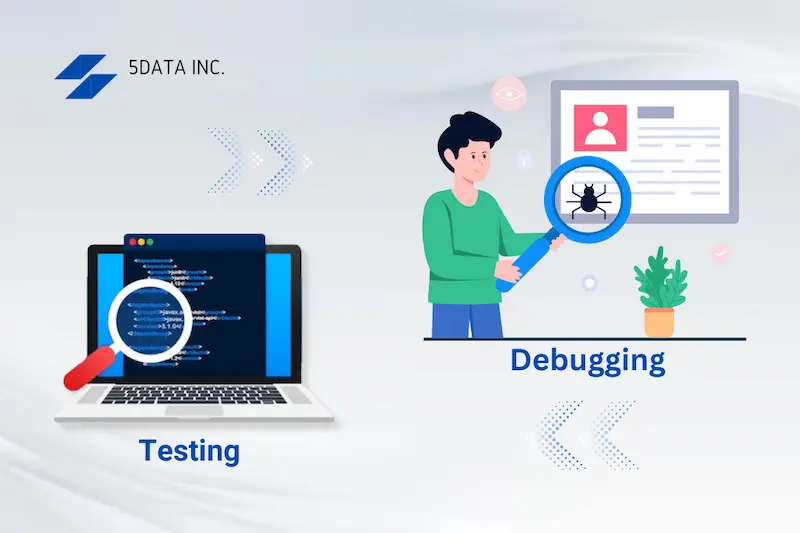
Writing code is only half the battle; testing and debugging are equally important. These essential programming tools help you find and fix errors, ensuring your code works as intended.
Why it’s essential:
- Identify bugs before they reach production.
- Validate that your application performs correctly.
- Maintain code reliability and quality.
Popular Tools:
- Chrome DevTools – For web developers, this tool allows you to inspect elements, debug JavaScript, and monitor network requests in real-time.
- Postman – A powerful API testing tool that lets you send requests, inspect responses, and automate testing for web services.
- PyTest / unittest / JUnit / Mocha – Frameworks for automated testing in Python, Java, and JavaScript.
- Debuggers in IDEs – Most modern IDEs have built-in debuggers to step through code line by line and inspect variables.
Pro Tip: Integrate automated testing early in your development workflow. It reduces bugs and makes future changes safer.
5. Database Management Tools
Databases are the backbone of most applications, storing everything from user data to application content. Tools that help you interact with databases are critical.
Why it’s essential:
- Simplify database creation and management.
- Run queries, visualize data, and analyze performance.
- Avoid manual errors when handling large datasets.
Popular Tools:
- MySQL Workbench – GUI tool for managing MySQL databases, creating schemas, and running queries.
- pgAdmin – Feature-rich tool for PostgreSQL databases.
- MongoDB Compass – Visual interface for NoSQL MongoDB databases.
- SQLite Browser – Lightweight tool for managing SQLite databases locally.
Pro Tip: Learn basic SQL or NoSQL commands even if you’re using GUI tools. It gives more control and understanding of your data.
You may also like to read this:
Best Dev Tools For Beginners – Start Coding Today
Top Developer Tools 2026 For Modern Programmers
Best Coding Productivity Tools Every Developer Needs
Free Dev Tools Online – Boost Your Coding Skills For Free
6. Collaboration and Productivity Tools
Programming often involves working in teams. Using the right collaboration and productivity tools can save time, prevent miscommunication, and keep projects on track.
Why it’s essential:
- Keep everyone on the same page.
- Organize tasks, deadlines, and milestones.
- Document your code and workflows.
Popular Tools:
- Slack / Microsoft Teams – Instant messaging platforms for developer teams. Share code snippets, links, and updates efficiently.
- Trello / Jira / Asana – Project management tools for task tracking, bug tracking, and workflow visualization.
- Notion / Confluence – For creating documentation, guides, and code snippets.
Pro Tip: Use version-controlled documentation to keep your team’s guides and instructions synchronized with code updates.
7. Containerization and Virtualization Tools
Modern development environments can be complex, and running applications consistently across multiple machines can be tricky. Containerization and virtualization tools solve this problem.
Why it’s essential:
- Ensures your code runs the same on any machine.
- Simplifies deployment and scaling.
- Isolates projects to prevent conflicts between software versions.
Popular Tools:
- Docker – Packages applications and their dependencies into containers that run anywhere.
- Kubernetes – Orchestrates Docker containers for larger projects or cloud applications.
- VirtualBox / Vagrant – Create virtual machines for testing and development without altering your main system.
Pro Tip: Start learning Docker early. It’s widely used in professional development and cloud deployment.
8. Online Resources and Documentation Tools
Even the most experienced developers need references. Knowing where to find answers is one of the most underrated essential programming tools.
Why it’s essential:
- Quickly resolve programming issues.
- Stay updated with best practices and new technologies.
- Access tutorials, code snippets, and community advice.
Popular Resources:
- Stack Overflow – Community-driven Q&A platform for developers of all levels.
- MDN Web Docs – For web developers, this is the go-to reference for HTML, CSS, and JavaScript.
- Official Language Docs – Always check the official documentation for frameworks, languages, or libraries.
- GitHub Repositories – Many open-source projects have examples and code you can learn from.
Pro Tip: Bookmark official documentation for your primary languages and frameworks. It’s faster than relying solely on forums.
Conclusion
Mastering essential programming tools is key to becoming a productive and confident developer. From code editors and version control systems to testing frameworks, database management tools, and collaboration platforms, each plays a vital role in streamlining your workflow and improving your coding skills.
By integrating these tools into your daily routine, you’ll write cleaner code, debug faster, collaborate more effectively, and ultimately enjoy programming more. Start small by mastering a few tools, and gradually expand your toolkit as your projects grow.
Remember, the right tools don’t just make programming easier—they make you a better developer.
FAQs on Essential Programming Tools
1. What are essential programming tools?
Answer: Essential programming tools are software, platforms, and resources that help developers write, test, debug, manage, and collaborate on code efficiently. They include code editors, IDEs, version control systems, package managers, testing frameworks, database tools, and collaboration platforms.
2. Which code editor is best for beginners?
Answer: For beginners, Visual Studio Code (VS Code) is highly recommended. It’s free, lightweight, and supports almost all programming languages. Its extensions allow beginners to customize the editor as they grow their skills.
3. Why do I need version control like Git?
Answer: Version control systems like Git let you track changes in your code, collaborate with others, and revert to previous versions if something breaks. It’s a must-have skill for professional developers.
4. What is the difference between a code editor and an IDE?
Answer: A code editor is a lightweight tool for writing code, often with syntax highlighting and basic editing features. An IDE (Integrated Development Environment) is more advanced, offering debugging, testing, code completion, project management, and sometimes deployment tools in one platform.
5. What are package managers, and why are they important?
Answer: Package managers (like npm, pip, and Composer) help you install and manage external libraries and dependencies in your projects. They save time, ensure compatibility, and make it easier to add new features without writing everything from scratch.