
If you’re starting your coding journey, choosing the best dev tools for beginners can feel confusing. There are hundreds of tools, editors, platforms, and frameworks out there. But here’s the good news: you don’t need everything. You just need the right tools that are simple, powerful, and beginner-friendly.
In this detailed guide, I’ll walk you step by step through the best dev tools for beginners, explain what each tool does, why you need it, and how it helps you grow as a developer. Think of this as a friendly roadmap to setting up your development environment the smart way.
1. Code Editors – Where You Write Your Code
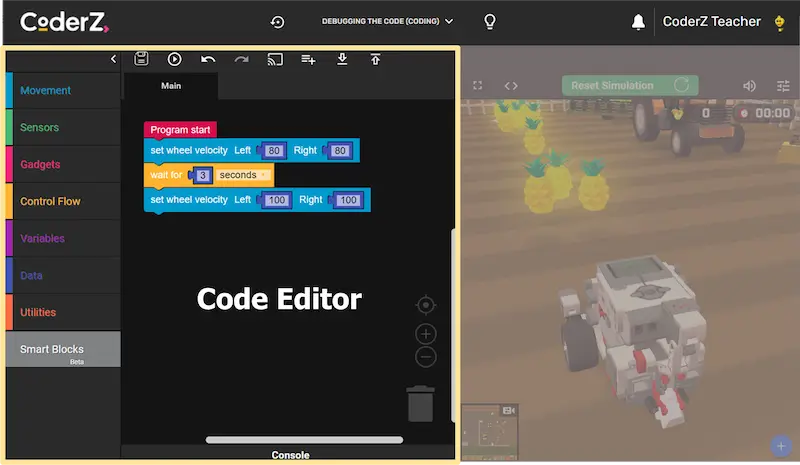
A code editor is your main workspace. It’s where you’ll spend most of your time writing and editing code. Choosing the right editor makes learning easier and more enjoyable.
Visual Studio Code
Visual Studio Code is one of the most popular code editors in the world, especially among beginners.
Why it’s great for beginners:
- Completely free and lightweight
- Works on Windows, Mac, and Linux
- Supports almost every programming language
- Huge extension marketplace
- Built-in terminal
- Beginner-friendly interface
You can install extensions for:
- Auto code formatting
- Error highlighting
- Git integration
- Debugging tools
If you’re unsure where to start, this editor alone can support your entire learning journey from beginner to advanced.
Sublime Text
Sublime Text is another simple and fast code editor.
Why beginners like it:
- Very clean and distraction-free interface
- Fast performance
- Easy to install and use
It’s perfect if you prefer minimal design and speed. However, Visual Studio Code offers more built-in tools for learning.
2. Version Control – Track Your Code Changes
As a beginner, you might think saving files is enough. But what if you accidentally delete something important? What if you want to go back to an older version?
That’s where version control helps.
Git
Git is a version control system that tracks changes in your code.
Why beginners should learn Git early:
- Keeps a history of your project
- Allows you to undo mistakes
- Helps you experiment safely
- Essential skill for jobs
Important basic Git commands you should learn:
- git init – Start tracking a project
- git add – Stage changes
- git commit – Save changes
- git status – Check project status
Learning Git may feel technical at first, but once you understand the basics, you’ll feel much more confident managing projects.
GitHub
GitHub works together with Git. It’s a platform where you store your projects online.
Why GitHub is important:
- Backup your code in the cloud
- Build a portfolio for employers
- Collaborate with other developers
- Contribute to open-source projects
As a beginner, creating a GitHub account early is a smart move. Even small practice projects can show your growth over time.
3. Browser Developer Tools – Debug and Inspect Code
If you are learning web development (HTML, CSS, JavaScript), your browser already includes powerful built-in developer tools.
Chrome DevTools
Chrome DevTools is built inside the Google Chrome browser.
What you can do with it:
- Inspect HTML structure
- Modify CSS live
- Debug JavaScript
- Monitor network requests
- Test responsive design
You can access it by right-clicking on any webpage and clicking “Inspect.”
This tool helps you understand how websites are built. It’s one of the most powerful free tools available to beginners.
4. Package Managers – Install Libraries Easily
As you grow, you’ll want to use libraries and frameworks instead of writing everything from scratch.
npm (Node Package Manager)
npm comes with Node.js and allows you to install JavaScript packages easily.
Why beginners should understand npm:
- Install tools with one command
- Manage project dependencies
- Build modern web applications
For example, instead of writing your own date formatting system, you can install a library in seconds.
Basic command example:
- npm install package-name
Learning npm helps you enter the modern JavaScript ecosystem smoothly.
You may also like to read this:
Top Developer Tools 2026 For Modern Programmers
Best Coding Productivity Tools Every Developer Needs
Free Dev Tools Online – Boost Your Coding Skills For Free
Essential Programming Tools Every Developer Must Know Today
5. API Testing Tools – For Backend Beginners
If you start learning backend development, you’ll work with APIs (Application Programming Interfaces).
Postman
Postman is a tool that allows you to test APIs without building a frontend.
What it helps you do:
- Send GET and POST requests
- Test backend logic
- View JSON responses
- Debug server errors
Instead of building a full website just to test your backend, you can test everything inside Postman. This saves time and reduces complexity for beginners.
6. Design Tools – For Frontend Developers
If you’re building websites or apps, understanding design basics is helpful.
Figma
Figma is a web-based design tool used to create UI layouts.
Why it’s beginner-friendly:
- Free version available
- Works directly in browser
- Easy drag-and-drop interface
- Great for learning layout principles
Even if you’re not becoming a designer, learning basic layout structure helps you build better websites.
7. Terminal – A Skill Every Developer Needs
Many beginners feel scared of the terminal. But it’s simply a tool to communicate with your computer using commands.
Why it’s important:
- Run Git commands
- Install packages
- Start development servers
- Navigate project folders
Start with basic commands like:
- cd (change directory)
- ls (list files)
- mkdir (make folder)
The more comfortable you get with the terminal, the faster you’ll work.
How to Choose the Best Dev Tools for Beginners
Let’s simplify everything.
If you’re learning Web Development:
- Visual Studio Code
- Git
- GitHub
- Chrome DevTools
If you’re learning Backend Development:
- Visual Studio Code
- Git
- Postman
If you’re learning JavaScript:
- Visual Studio Code
- npm
- Git
If you’re learning UI Design:
- Figma
You don’t need to install 20 tools at once. Start small and expand slowly.
Common Beginner Mistakes to Avoid
- Installing too many tools at once
- Changing editors every week
- Ignoring Git because it feels complex
- Avoiding the terminal
- Watching tutorials without practicing
Tools are helpful, but practice is what truly makes you better.
Why These Are the Best Dev Tools for Beginners
The reason these are considered the best dev tools for beginners is simple:
- They are beginner-friendly
- They are widely used in the industry
- They are free or affordable
- They scale as your skills grow
You won’t outgrow these tools quickly. Even professional developers use them daily.
Final Thoughts
Choosing the best dev tools for beginners is about building a strong foundation. You don’t need advanced software. You need reliable, easy-to-learn tools that help you understand coding step by step.
Start with:
- Visual Studio Code
- Git
- GitHub
- Chrome DevTools
Master these first. Once you’re comfortable, you can explore more advanced tools.
Remember: the tool doesn’t make the developer — consistent practice does.
FAQs – Best Dev Tools for Beginners
1. What are the best dev tools for beginners to start coding?
The best dev tools for beginners usually include:
Visual Studio Code (for writing code)
Git (for version control)
GitHub (for storing projects online)
Chrome DevTools (for web debugging)
npm (for installing JavaScript packages)
You don’t need all tools at once. Start with a code editor and Git, then expand as you grow.
2. Do beginners really need to learn Git?
Yes, absolutely. Even if you’re just starting, Git is important because:
It tracks your code changes
It helps you undo mistakes
It prepares you for real-world development
Many beginners skip Git because it looks technical, but learning basic commands early will make your journey much smoother.
3. Is Visual Studio Code better than other editors for beginners?
Visual Studio Code is considered one of the best dev tools for beginners because:
It’s free
Easy to use
Supports almost all programming languages
Has helpful extensions
However, the “best” editor is the one you feel comfortable using. The key is consistency.
4. How many tools should a beginner install?
As a beginner, keep it simple.
Start with:
One code editor
Git
A browser with DevTools
Installing too many tools can overwhelm you and slow down learning.
5. Are these development tools free?
Most of the best dev tools for beginners are completely free or have free versions. Tools like Visual Studio Code, Git, GitHub (basic version), and Chrome DevTools cost nothing to use.
This makes it easy for anyone to start learning without financial pressure.