


As a programmer, having the right software tools for programmers is more than just a convenience—it’s essential for efficiency, productivity, and writing clean, maintainable code. The right tools can streamline workflows, reduce errors, and even help you learn new programming techniques faster.
Whether you’re a beginner working on your first project or a seasoned developer managing complex applications, understanding the best software tools available is key to success. In this guide, we’ll cover all the essential categories of software tools that programmers rely on daily.
1. Code Editors and IDEs
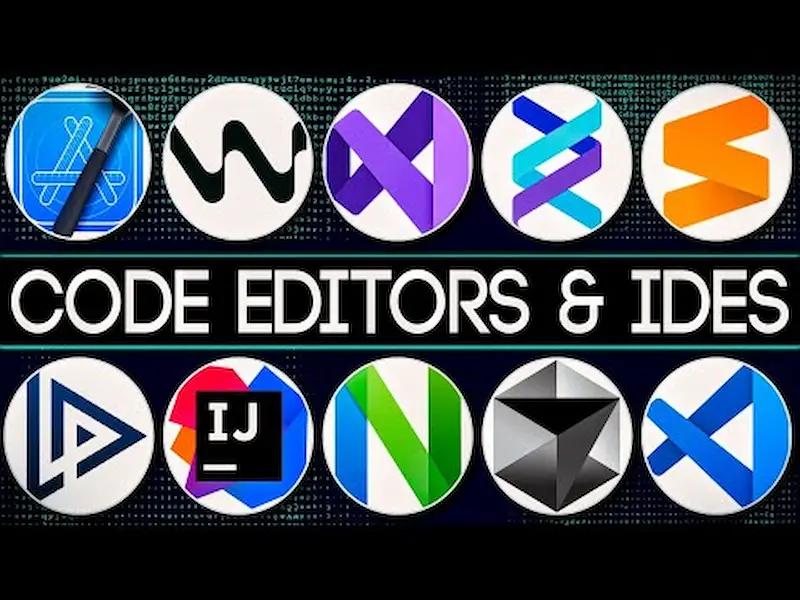
The foundation of programming is writing code, and having a strong code editor or IDE (Integrated Development Environment) can make your work much smoother. These tools provide features like syntax highlighting, code suggestions, debugging, and project management.
Popular Code Editors and IDEs:
- Visual Studio Code (VS Code) – Lightweight, free, and highly extensible. VS Code supports a wide range of languages and has thousands of extensions for everything from linting and formatting to Git integration.
- JetBrains IntelliJ IDEA – Best suited for Java, Kotlin, and other JVM-based languages. IntelliJ provides intelligent code completion, error detection, and refactoring tools.
- PyCharm – A Python-focused IDE with features like intelligent code analysis, debugging, and seamless package management.
- Sublime Text – Fast and minimalistic, perfect for quick edits and small projects, with powerful plugin support.
Why it matters: A good code editor reduces mistakes, improves productivity, and helps you maintain a clean, readable codebase.
Tip for beginners: Start with VS Code because it’s free, lightweight, and beginner-friendly, but gradually explore IDEs like IntelliJ IDEA or PyCharm as you grow in your coding skills.
2. Version Control Tools
Version control is essential for tracking code changes, collaborating with teams, and managing different versions of a project.
Popular Version Control Tools:
- Git – The most widely used system to track changes in code. It allows you to revert mistakes, merge code changes, and manage project history.
- GitHub – Cloud-based platform for hosting Git repositories, perfect for open-source collaboration and code sharing.
- GitLab – Offers Git repository hosting with built-in continuous integration and project management features.
- Bitbucket – Ideal for teams using Atlassian products like Jira for project management.
Why it matters: Version control ensures that your code is safe, organized, and easy to collaborate on with other developers.
Pro tip: Learn Git commands like commit, push, pull, and merge early. They form the foundation of professional coding workflows.
3. Debugging Tools
No matter your experience, bugs are inevitable. Debugging tools help locate and fix errors efficiently.
Top Debugging Tools:
- GDB (GNU Debugger) – Powerful for C/C++ programs, allowing you to inspect variables, step through code, and analyze crashes.
- Chrome DevTools – Essential for web developers; allows you to inspect HTML, CSS, and JavaScript in real-time.
- PDB – Python’s built-in debugger for stepping through code and tracking variables.
- Xdebug – PHP debugger that integrates with IDEs for a smooth debugging experience.
Why it matters: Debugging tools save time and prevent errors from reaching production, ensuring reliable applications.
Pro tip: Don’t just print statements; learn to use breakpoints, watches, and step-through debugging for faster problem-solving.
4. Collaboration and Communication Tools
Programming is rarely done alone. Collaboration tools help teams communicate, track tasks, and manage projects effectively.
Essential Collaboration Tools:
- Slack – Team communication platform with channels, threads, and integrations with other developer tools.
- Trello – Visual task management tool using boards, lists, and cards.
- Asana – Organizes projects, assigns tasks, and monitors deadlines efficiently.
- Notion – Combines documentation, project tracking, and note-taking in a single workspace.
Why it matters: Good collaboration reduces misunderstandings, improves productivity, and keeps everyone on the same page.
Pro tip: Integrate your collaboration tools with version control systems for real-time updates about code changes.
5. Database Management Tools

Most applications rely on databases. Database management tools simplify creating, managing, and querying databases.
Popular Database Tools:
- MySQL Workbench – GUI for MySQL database design, queries, and administration.
- pgAdmin – Comprehensive management tool for PostgreSQL databases.
- MongoDB Compass – GUI for managing NoSQL databases like MongoDB.
- DBeaver – Universal tool supporting multiple databases including SQL Server, Oracle, and SQLite.
Why it matters: Efficient database tools save time, improve query performance, and help avoid data management errors.
Pro tip: Learn basic SQL commands alongside these tools to manipulate data directly when needed.
6. Testing and Automation Tools
Testing ensures your software works as expected, reduces bugs, and improves reliability. Automation speeds up repetitive tasks.
Key Testing Tools:
- Selenium – Automates browser testing for web applications.
- JUnit – Popular framework for unit testing Java applications.
- pytest – Flexible testing framework for Python applications.
- Jenkins – Continuous integration tool that automates builds and tests.
Why it matters: Testing tools improve code quality and give confidence that your software behaves as intended.
Pro tip: Write automated tests early; it saves much more time than manual testing later.
7. Cloud and Deployment Tools
Deploying applications in modern environments often involves cloud platforms and containerization.
Top Cloud and Deployment Tools:
- Docker – Creates containers for consistent environments across development and production.
- Kubernetes – Manages containers at scale for complex applications.
- AWS / Azure / Google Cloud – Full-featured cloud platforms for hosting, storage, and computing.
- Heroku – Simplified deployment platform for web apps without worrying about servers.
Why it matters: Cloud and deployment tools ensure applications run consistently and scale efficiently.
Pro tip: Learn containerization with Docker first before moving to Kubernetes for complex deployments.
You may also like to read this:
Programming Tips For Developers To Boost Skills Fast
Coding Best Practices Guide For Clean & Efficient Code
Online Coding Lessons – Learn Programming From Home
Coding Software Reviews: Best Tools For Developers
Best Dev Software 2026: Top Tools For Developers
8. Additional Productivity Tools
Beyond core programming tools, these utilities can make your workflow smoother:
- Postman – Test and interact with APIs easily.
- Figma – Design and prototype user interfaces collaboratively.
- Webpack / Parcel – Bundlers for web applications that improve performance.
- Markdown editors – For writing documentation in a clean and readable format.
Why it matters: Supporting tools help you test, design, and document efficiently, improving your overall workflow.
Conclusion
Having the right software tools for programmers can completely transform how you code, collaborate, and deploy software. From code editors and IDEs to version control, debugging, database management, testing, and cloud deployment, every tool has a unique role in your development workflow.
Investing time in learning these tools and using them effectively not only improves productivity but also helps you write cleaner, more reliable code, and makes collaboration smoother. The world of programming is vast, but the right tools give you the foundation to tackle any challenge confidently.
By mastering these essential software tools, you’ll be well on your way to becoming a more efficient, skilled, and professional programmer.
FAQs About Software Tools for Programmers
1. What are software tools for programmers?
Software tools for programmers are applications or platforms that help developers write, test, debug, and manage code efficiently. They include code editors, IDEs, version control systems, debugging tools, database management software, and collaboration tools.
2. Why are software tools important for programmers?
These tools improve productivity, reduce errors, streamline workflows, and enable collaboration. They allow programmers to focus on solving problems instead of spending time on repetitive or manual tasks.
3. What is the difference between a code editor and an IDE?
A code editor is a lightweight tool for writing and editing code, often with syntax highlighting and extensions (e.g., VS Code, Sublime Text). An IDE (Integrated Development Environment) is more feature-rich, offering debugging, version control, code completion, and project management (e.g., IntelliJ IDEA, PyCharm).
4. Which version control tool should I learn first?
Git is the industry standard and a must-learn for every programmer. Platforms like GitHub or GitLab provide hosting, collaboration features, and additional tools for project management.
5. Are debugging tools necessary for beginners?
Yes! Learning to debug properly from the start helps you understand your code better and reduces frustration. Tools like Chrome DevTools for web development or PDB for Python are beginner-friendly.


