
If you’re a developer or someone just starting out in coding, you know that having the right development tools can make or break your workflow. The best part? You don’t always have to pay for them. In fact, there are countless free dev tools online that let you write, test, debug, design, and collaborate on code without spending a dime.
In this guide, we’ll explore the top free dev tools online, organized by categories, so you can find exactly what you need to boost productivity, improve code quality, and streamline your development projects.
1. Online Code Editors and IDEs
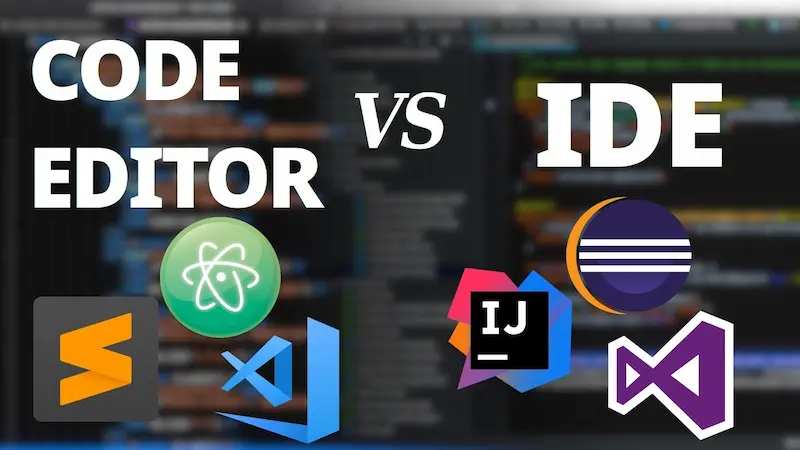
An online IDE or code editor allows you to write and run code directly from your browser, making it perfect for testing, learning, or working remotely. Here are some of the best options:
- Visual Studio Code Online (VS Code for Web)
VS Code Online brings the power of Microsoft’s popular editor to the browser. It supports extensions, syntax highlighting, and Git integration, making it ideal for professional developers. - Replit
Replit supports over 50 programming languages and allows real-time collaboration. You can start a project in seconds, share it with others, and even deploy web apps directly from the platform. - CodeSandbox
If you’re a web developer, CodeSandbox is a lifesaver. You can quickly spin up projects in React, Vue, Angular, or Node.js, with live previews and easy sharing. - JSFiddle / JSBin / PlayCode
These platforms are great for front-end experiments. They let you test HTML, CSS, and JavaScript snippets instantly, see the results live, and share your code with others. - Glitch
Glitch is perfect for building small web apps or prototypes. It offers collaborative editing, instant hosting, and supports Node.js projects with minimal setup.
Tip: Using online editors can save you from installation hassles, and they often provide built-in templates, making it faster to start new projects.
2. Version Control and Collaboration Tools
Version control is essential for managing changes in your code, and these free dev tools online make collaboration effortless:
- GitHub
GitHub is the most popular platform for version control using Git. Its free plan offers unlimited public and private repositories, collaborative tools, issue tracking, and GitHub Pages for hosting websites. - GitLab
Similar to GitHub but with built-in CI/CD pipelines for testing and deployment. GitLab’s free plan is robust and ideal for team projects. - Bitbucket
Designed for teams, Bitbucket supports Git and Mercurial repositories. Its free tier allows private repositories and integrates well with project management tools like Jira. - SourceForge
While older, SourceForge still provides free hosting and version control for open-source projects.
Tip: Even as a solo developer, using GitHub or GitLab ensures you always have a backup of your projects and a clear history of changes.
3. Debugging and Testing Tools
Debugging is critical for writing clean, error-free code. These free dev tools online make testing easier:
- Chrome DevTools
Integrated into Google Chrome, DevTools allows you to inspect elements, debug JavaScript, profile performance, and even simulate mobile devices. - Postman (Free Plan)
Postman is essential for API testing. The free plan offers all core features for sending requests, testing endpoints, and automating workflows. - BrowserStack (Free Tier)
Allows testing websites across multiple browsers and devices online. While the free tier has limitations, it’s still great for small projects and responsive design testing. - JSHint / ESLint
These online tools help you catch syntax errors and enforce coding standards in JavaScript projects.
Tip: Debugging early saves hours later. Combine tools like Chrome DevTools with ESLint to catch errors before deployment.
4. Design and Prototyping Tools
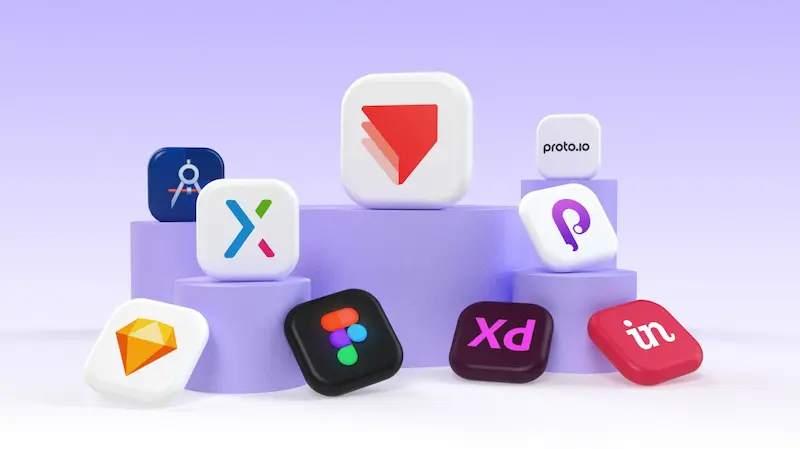
Good UI/UX design is crucial, even if you’re primarily a developer. Here are some free tools to create wireframes, mockups, and prototypes:
- Figma (Free Plan)
Figma is a collaborative design tool where you can create UI/UX mockups, prototypes, and even small animations. Its free tier supports up to 3 projects and unlimited collaborators. - Canva (Free Plan)
While mostly for graphics, Canva can help developers create quick visuals, banners, or social media assets for apps. - Penpot
An open-source design and prototyping tool. It’s free, collaborative, and works for both UI designers and developers.
Tip: Using Figma or Penpot alongside your dev tools can reduce back-and-forth with designers and speed up development cycles.
5. Productivity and Workflow Tools
Managing tasks, notes, and communication is essential for any developer. Here are some free online tools to streamline your workflow:
- Trello
Kanban-style boards for task management. Keep track of coding tasks, project milestones, and bug fixes. - Notion
A powerful all-in-one workspace for notes, documentation, and project planning. Free for personal use. - Slack (Free Plan)
Ideal for team communication. You can integrate bots and tools to automate notifications about GitHub commits or build statuses. - ClickUp
A free project management tool with task tracking, document sharing, and time tracking features.
Tip: Organizing your workflow ensures you spend more time coding and less time managing chaos.
You may also like to read this:
Best Dev Tools For Beginners – Start Coding Today
Top Developer Tools 2026 For Modern Programmers
Best Coding Productivity Tools Every Developer Needs
Essential Programming Tools Every Developer Must Know Today
6. Free Hosting and Deployment Tools
Testing your projects online or sharing your apps with others is easier with free hosting services:
- GitHub Pages
Host static websites directly from your GitHub repository for free. Perfect for portfolios or demo apps. - Netlify (Free Tier)
Supports static and JAMstack sites with continuous deployment from Git. - Vercel
Great for hosting Next.js, React, and Node.js apps with free SSL, serverless functions, and CI/CD pipelines. - Render (Free Tier)
Offers free hosting for static sites and small web apps with easy deployment.
Tip: Free hosting platforms are perfect for personal projects, portfolios, or testing before moving to a paid plan.
Why You Should Use Free Dev Tools Online
Using free dev tools online has several advantages:
- Cost-effective – No need to spend on expensive software subscriptions.
- Accessible Anywhere – Work on your projects from any device with an internet connection.
- Great for Learning – Beginners can experiment freely without installing complex tools.
- Collaboration-Friendly – Many tools allow real-time collaboration, version control, and feedback.
- Community Support – Most free dev tools have active forums, tutorials, and documentation.
Even professional developers often rely on these free tools for rapid prototyping, testing, or learning new technologies.
FAQs About Free Dev Tools Online
Q1: Are free dev tools online suitable for professional projects?
Yes. Tools like VS Code Online, GitHub, Postman, and Figma are widely used in professional development, even in companies.
Q2: Can I collaborate with a team using free tools?
Absolutely. Platforms like Replit, GitHub, Figma, and Slack allow real-time collaboration without any cost.
Q3: Do these tools have limitations?
Some free plans have restrictions like limited project size, collaborators, or storage, but they are usually sufficient for small to medium projects.
Q4: Are online IDEs secure?
Reputable platforms use encryption and secure servers. Avoid sharing sensitive credentials publicly.
Q5: Can I deploy a live app using free dev tools online?
Yes. Tools like GitHub Pages, Netlify, and Vercel let you deploy apps and websites without paying anything.
Conclusion
Exploring free dev tools online is a game-changer for anyone looking to improve coding efficiency, collaborate, and learn new technologies without financial investment. From online IDEs to version control, debugging, design, and deployment, these tools cover every aspect of the development workflow.
Start experimenting today and see how these free resources can boost your coding skills, improve project quality, and save you both time and money. The best part? You don’t have to spend a cent to get started.