

If you’re starting your journey in programming or looking to improve your workflow, understanding the right software solutions for coding is crucial. These tools not only help you write code faster but also make debugging, collaboration, and project management easier. Whether you’re building a simple script or a large-scale application, having the right software can save you hours of frustration and make coding more enjoyable.
In this guide, we’ll explore different types of software solutions for coding, how they work, and which ones are ideal for beginners, students, and professional developers.
What Are Software Solutions for Coding?

Software solutions for coding refer to programs and platforms designed to help developers write, test, debug, and manage code. These can range from simple text editors to advanced integrated development environments (IDEs) with built-in tools for version control, debugging, and deployment.
Think of coding like writing a book: a text editor is like a notebook, an IDE is like a full office with resources and assistants, and version control systems are like a detailed logbook of all your edits and changes. Using the right tools ensures your “story” is coherent, error-free, and efficient.
Types of Software Solutions for Coding
1. Text Editors: Simple Yet Powerful
Text editors are lightweight software that allow you to write code without distractions. They are fast, simple, and often free, making them perfect for beginners or small projects.
Popular Text Editors:
- Visual Studio Code (VS Code)
- Pros: Free, cross-platform, supports many programming languages, customizable extensions.
- Cons: Slightly heavier than other text editors.
- Best For: Developers of all levels, especially for web development, Python, and JavaScript.
- Pros: Free, cross-platform, supports many programming languages, customizable extensions.
- Sublime Text
- Pros: Extremely fast, easy to use, supports multiple languages.
- Cons: Paid version needed for full features.
- Best For: Coders who need a lightweight, distraction-free editor.
- Pros: Extremely fast, easy to use, supports multiple languages.
- Notepad++
- Pros: Free, lightweight, simple, great for Windows users.
- Cons: Limited features compared to IDEs.
- Best For: Beginners or quick edits.
- Pros: Free, lightweight, simple, great for Windows users.
Why Use Text Editors?
Text editors provide syntax highlighting, code suggestions, and plugins that enhance productivity without overwhelming you with too many features. They are also great for learning coding basics before moving to more advanced tools.
2. Integrated Development Environments (IDEs)
IDEs are comprehensive software solutions for coding. They combine text editing, compiling, debugging, and project management into a single interface. IDEs are perfect for handling large projects, collaborating with teams, and automating repetitive tasks.
Popular IDEs:
- PyCharm
- Pros: Excellent Python support, integrated debugger, testing tools.
- Cons: Can be heavy on system resources.
- Best For: Python developers, data scientists, and web developers using Django or Flask.
- Pros: Excellent Python support, integrated debugger, testing tools.
- IntelliJ IDEA
- Pros: Superb for Java, supports multiple languages, excellent for enterprise projects.
- Cons: Paid version offers advanced features.
- Best For: Java developers, full-stack development.
- Pros: Superb for Java, supports multiple languages, excellent for enterprise projects.
- Eclipse
- Pros: Free, open-source, extensive plugin ecosystem.
- Cons: UI can feel outdated, slightly slower performance.
- Best For: Java and C++ development, open-source projects.
- Pros: Free, open-source, extensive plugin ecosystem.
Why Use IDEs?
IDEs reduce errors with real-time code analysis, provide integrated debugging tools, and help manage complex projects efficiently. They are essential for serious developers who work on large applications or multiple programming languages.
3. Version Control Systems (VCS)
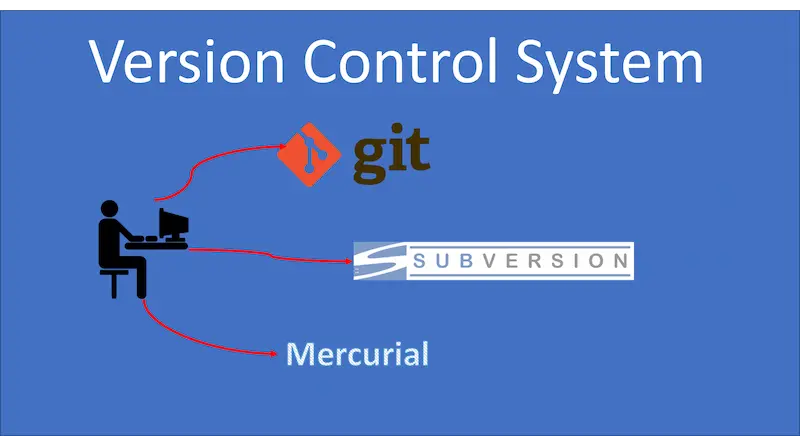
Version control systems are essential for collaborative development and managing code changes over time. They keep track of every modification, allowing you to revert to previous versions if something goes wrong.
Popular Version Control Tools:
- Git
- Pros: Widely used, free, integrates with GitHub, GitLab, and Bitbucket.
- Cons: Can be complex for absolute beginners.
- Best For: Almost all developers working individually or in teams.
- Pros: Widely used, free, integrates with GitHub, GitLab, and Bitbucket.
- Subversion (SVN)
- Pros: Simple linear version control, good for smaller teams.
- Cons: Less flexible than Git.
- Best For: Projects that don’t require branching and merging often.
- Pros: Simple linear version control, good for smaller teams.
Why Use VCS?
Version control ensures that code is safe, supports collaboration, and prevents overwriting or losing work. It’s a must-have skill for professional programmers.
4. Online Coding Platforms
Online platforms allow you to write and test code in the cloud, often without installing anything. These are excellent for beginners, learning, practicing, and sharing projects.
Popular Online Coding Platforms:
- Replit – Supports multiple languages, collaborative, and beginner-friendly.
- CodePen – Ideal for front-end web development and live previews.
- JSFiddle – Focused on HTML, CSS, and JavaScript testing.
Why Use Online Platforms?
They allow you to code from anywhere, on any device, without setup. They’re also great for learning new languages or experimenting with code snippets.
You may also like to read this:
Best Software Tools For Programmers in 2026
Code Editor Reviews: Boost Your Coding Efficiency Today
Web Development Software Guide | Tools For Developers
Top Programming Apps To Learn Coding Anywhere
Tech Solutions For Developers To Boost Productivity
5. Debugging and Testing Tools
Debugging and testing tools help developers identify errors and improve the quality of code before deployment.
Essential Tools:
- Chrome DevTools – Debugging web applications in real-time.
- Postman – Testing APIs and backend services.
- JUnit – Automating testing for Java applications.
Why Use Debugging Tools?
Debugging and testing are crucial to avoid crashes, security issues, and performance problems. Tools help catch issues early, saving time and effort.
Choosing the Right Software Solutions for Coding
Here are some practical tips to choose the best tools:
- Identify Your Programming Language: Some tools are optimized for specific languages.
- Project Size Matters: Lightweight editors for small projects, IDEs for larger ones.
- Collaboration Needs: Use version control if you’re working in teams.
- Ease of Use: Pick tools with a friendly interface and good documentation.
- Community Support: Popular tools have tutorials, forums, and extensions.
Conclusion
Choosing the right software solutions for coding can transform your programming journey. Beginners may start with text editors and online platforms, while professional developers benefit from IDEs, version control systems, and debugging tools.
Remember, coding is not just about writing code—it’s about creating solutions efficiently. The right tools help you save time, reduce errors, and make coding more enjoyable. Experiment with different solutions, find what works best for your workflow, and watch your programming skills grow.
With the right software, coding becomes not just a skill, but a seamless and enjoyable creative process.
FAQs About Software Solutions for Coding
1. What are software solutions for coding?
Software solutions for coding are programs and tools that help developers write, test, debug, and manage code efficiently. They include text editors, integrated development environments (IDEs), version control systems, online platforms, and debugging tools.
2. Which software is best for beginners?
For beginners, lightweight text editors like Visual Studio Code, Sublime Text, or online platforms like Replit and CodePen are ideal. They are easy to use and provide helpful features like syntax highlighting and autocomplete.
3. What is the difference between a text editor and an IDE?
A text editor is a simple tool for writing code, usually lightweight and easy to use. An IDE (Integrated Development Environment) is a comprehensive tool that combines code editing, debugging, compiling, and project management in one interface. IDEs are better for large projects or professional development.
4. Why is version control important?
Version control systems, like Git, track changes in your code, prevent data loss, and make collaboration with teams easier. They allow you to revert to previous versions and manage multiple versions of a project safely.
5. Can I code without installing software?
Yes! Online coding platforms such as Replit, JSFiddle, and CodePen let you code directly in your browser. These platforms are perfect for learning, practicing, or sharing code without any installation.